
How Do I Add Members to My Team Account?
You can set up a Team account with centralized billing by emailing support@arcstudipro.com
Adding Writers to Your Team
Section titled “Adding Writers to Your Team”You can add writers to your team via the settings.
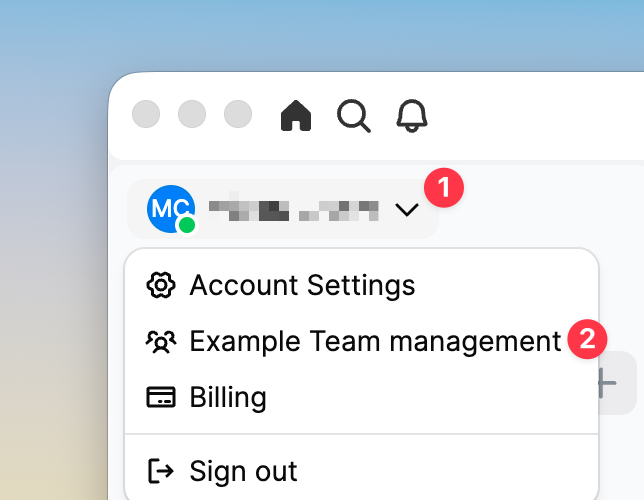
On the Desk, click your name in the top left and then select [Team Name] Management
- Add your team members by entering their email address where it says Enter email. (You can copy and paste a list or drop a .csv/.txt file into this area.)
- Then click
Add members
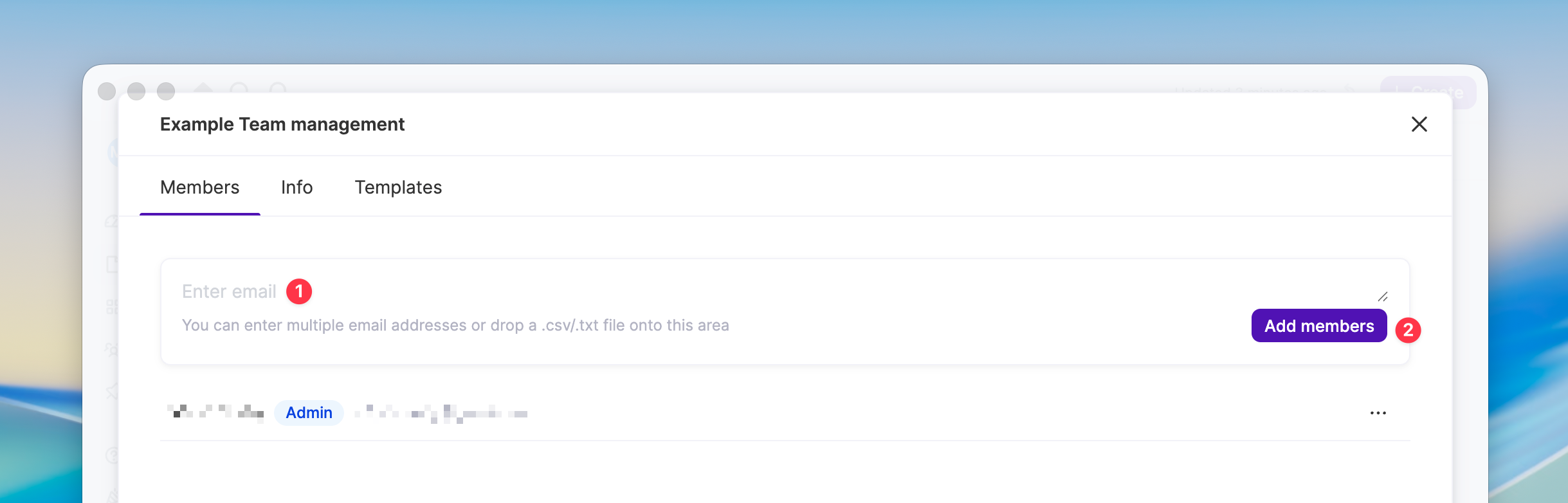
The members will be sent an email to create their accounts and will be automatically added to your team.
You’ll see a list of your team members below.