How Do I Change the Default Spell Check for My Account?
You can set the default spellcheck language for your account which will be applied when you create new scripts.
To set the default language in your settings.
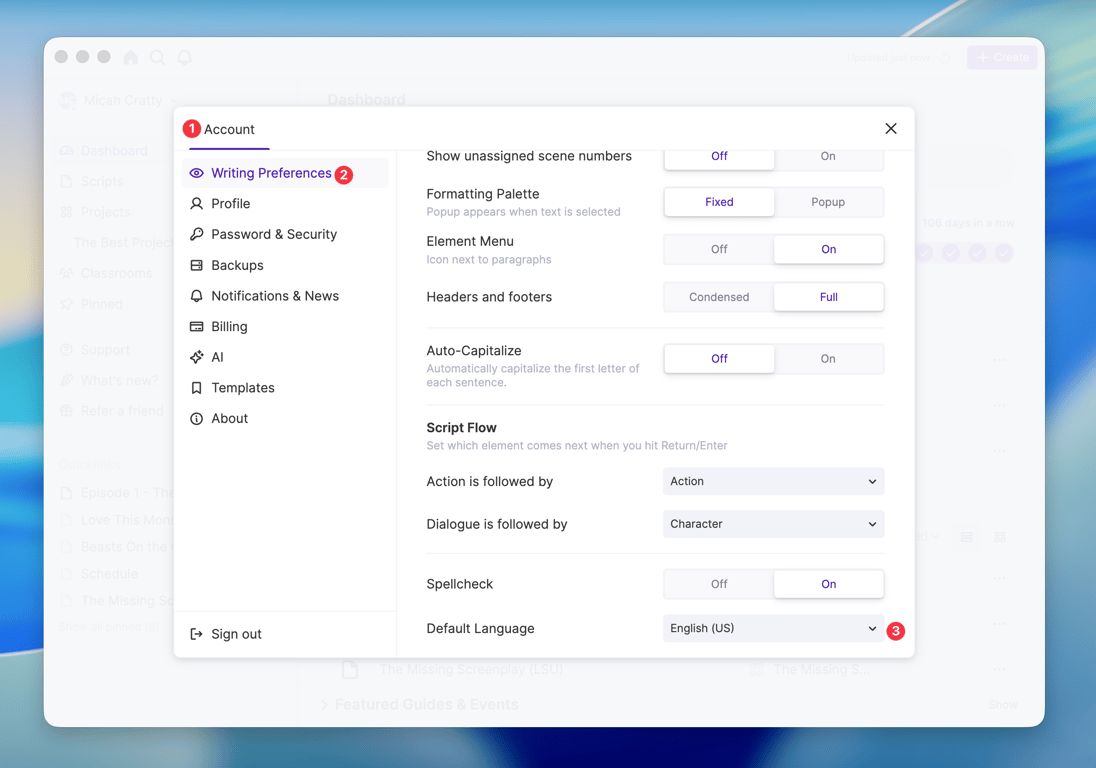
- Click on the Account setting
- Select Writing Preferences
- Scroll down to Default Language and choose your language from the dropdown menu.