How Do I know if my Mac has Intel Processor or Apple Silicon?
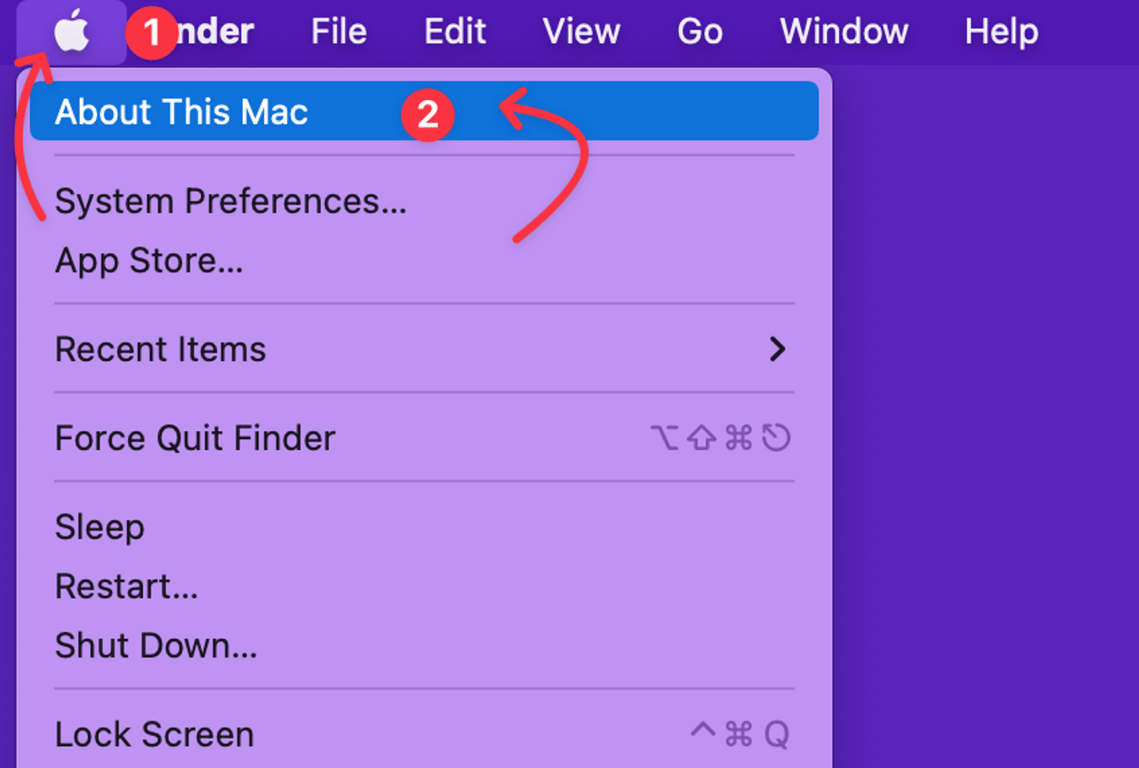
- Please open the Apple menu on the top left corner of your desktop screen.
- Click on “About This Mac”
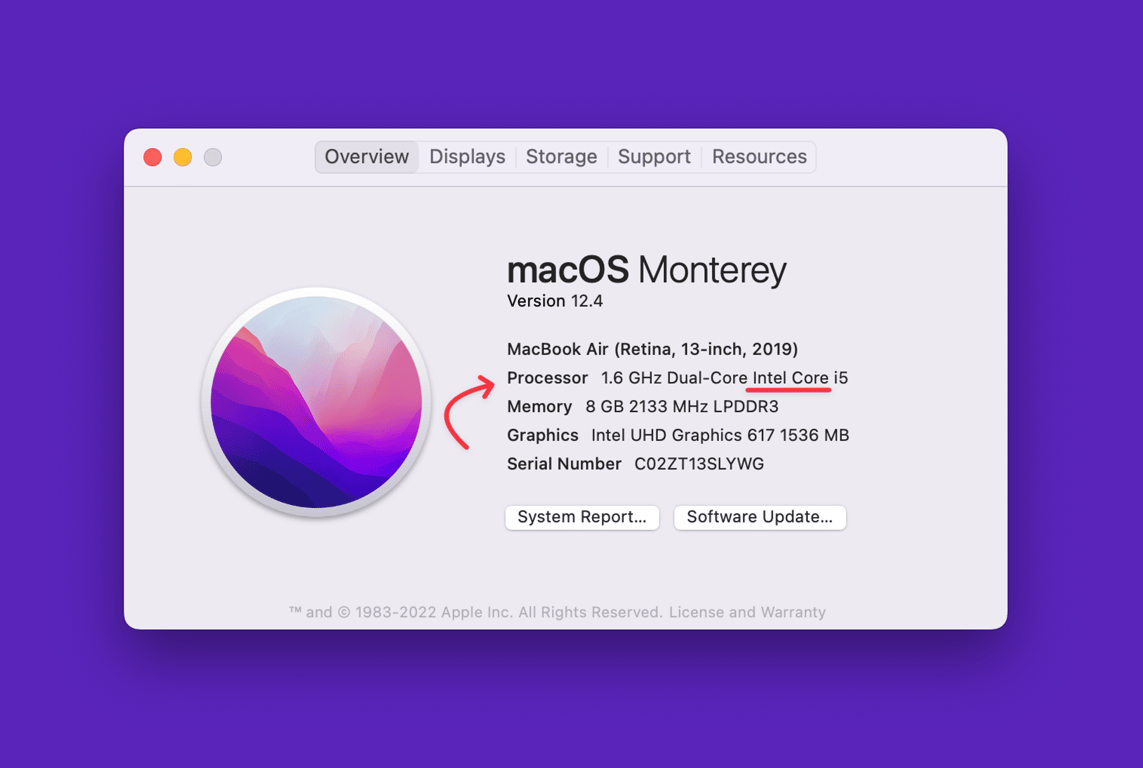
- Users with Intel processors will have “Processor…. Intel Core…” and users with Apple Silicon will have “Chip Apple M1/2/3/4”