
How Do I Create a Branch Copy?
In Arc Studio you can create a Branch Copy of your script. A Branch Copy is a copy of your Main Draft that you can make edits to without affecting your Main Draft. Once you’re done, you can choose which edits to the Branch Copy you want to incorporate into the Main Draft.
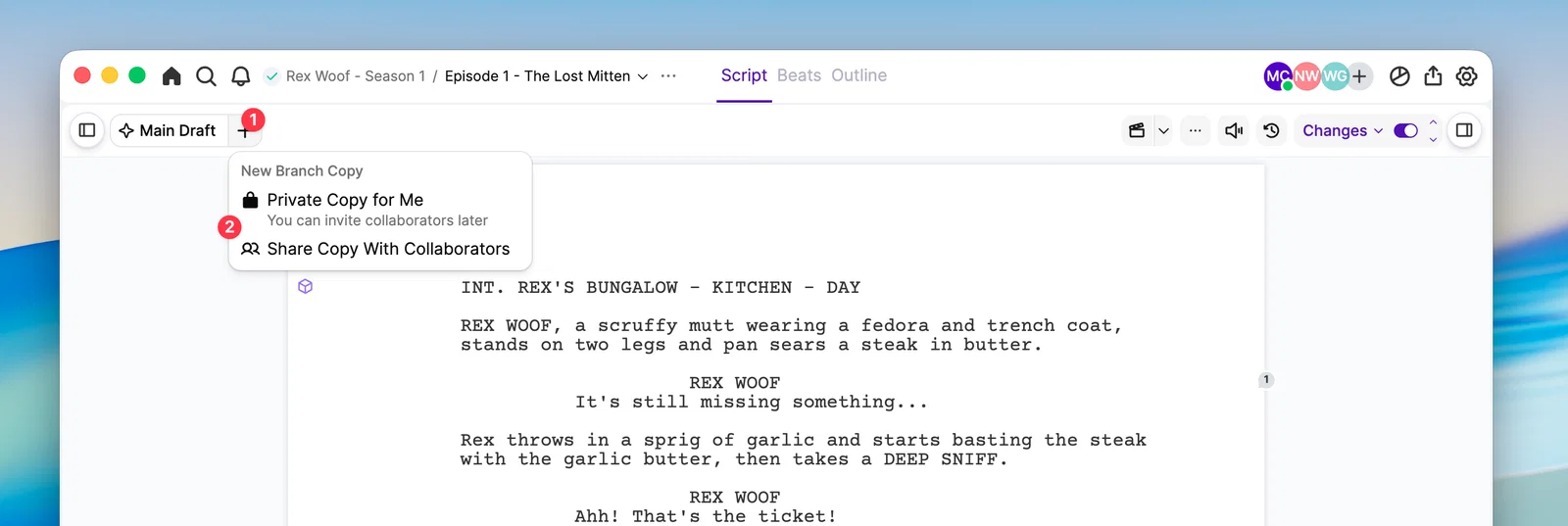
To create a Branch Copy:
- Click the
+next to Main Draft in the top bar. - Select either
Private Copy for MeorShare Copy With Collaborators
For more, see our guide: