
How Do I Generate an Image for a Note?
You can generate AI images based on the content of a note to use as reference and inspiration.
If you have tagged the Note with Character, Location, or Storyline elements that have images associated with them, the AI model will use those images as a consistent reference. Learn more about generating Character images.
Preliminary steps
Section titled “Preliminary steps”Purchase credits
Section titled “Purchase credits”Generating Note images is not included in your paid subscription and can be accessed via a pay-as-you-go credit system. Learn how to purchase credits.
Turn on AI Image Generation
Section titled “Turn on AI Image Generation”If you haven’t yet, you need to enable AI image generation. Learn how.
Generate a Note Image
Section titled “Generate a Note Image”- Click AI Image on the bottom of the note.
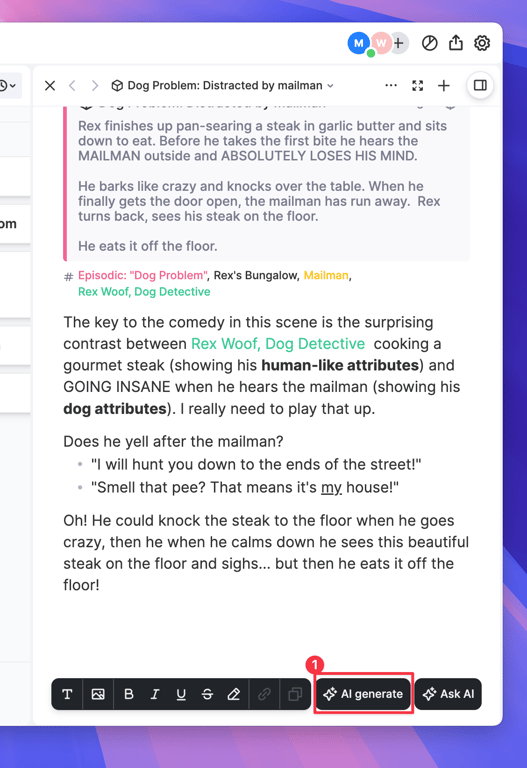
This will generate an image based on the content of the note. If you’ve tagged the note with elements that have images associated with them, the AI model will use those images.