How Do I Add Beats to the Plot Board?
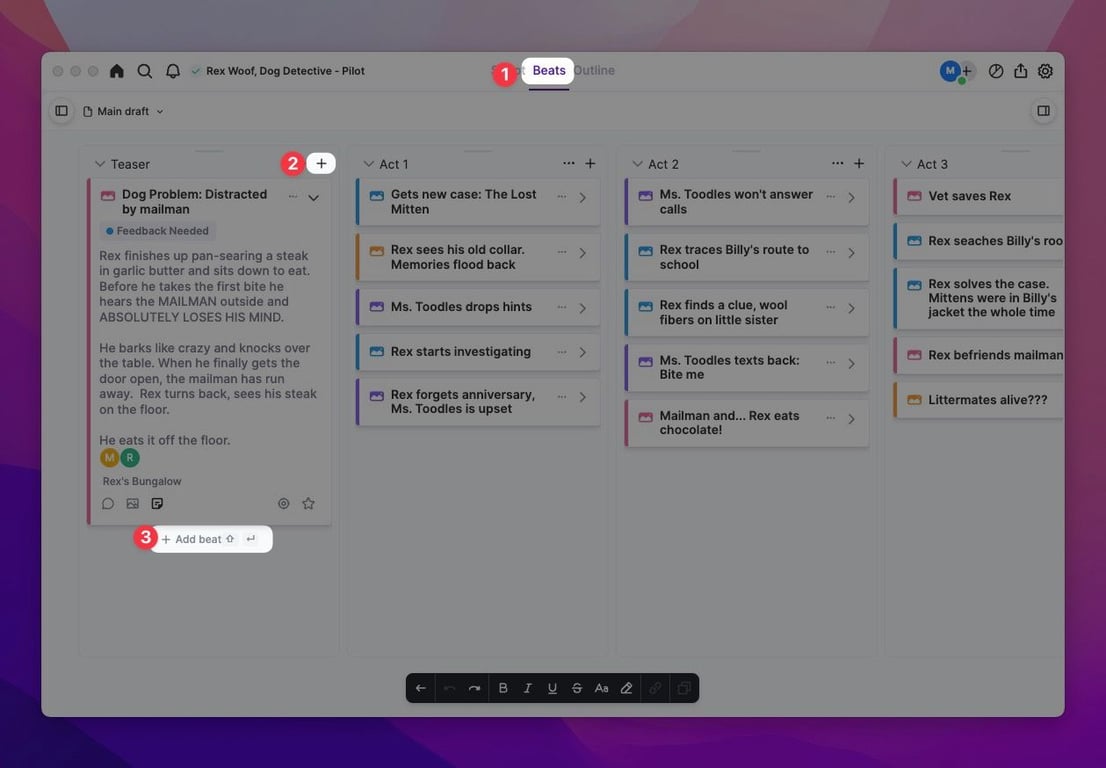
- To open the Beats Board, click on Beats at the top of the window, or use the keyboard shortcut
Option+Cmd+B - Add a Beat to the end of an act by clicking
+next to the act name. - Add a beat directly below a selected beat by clicking
+ Add beator with the keyboard shortcutShift+Return