
How Do I Export My Script as a Final Draft™ File?
You can export your script as a .fdx file from Arc Studio.
- Click on the export icon in the top bar.
- Select
Export file…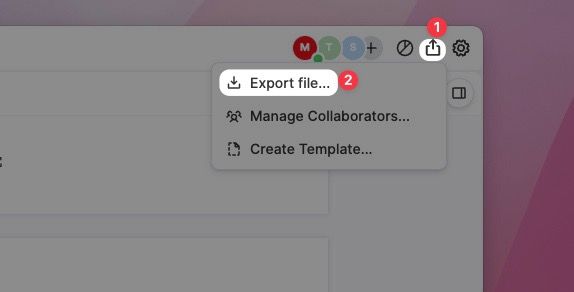
- Click on the
Final Drafttab - Choose your changemark settings
- Click
Export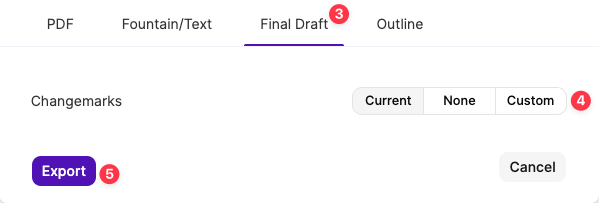
- Choose the name of the file and where you want it to be saved.
- Click
Save