
How Do I Manage Collaborator Access Levels on a Project?
You can set a collaborator’s access level when you invite them to the project.
To manage their access level after inviting them:
- Click the Manage Members icon in the top right.
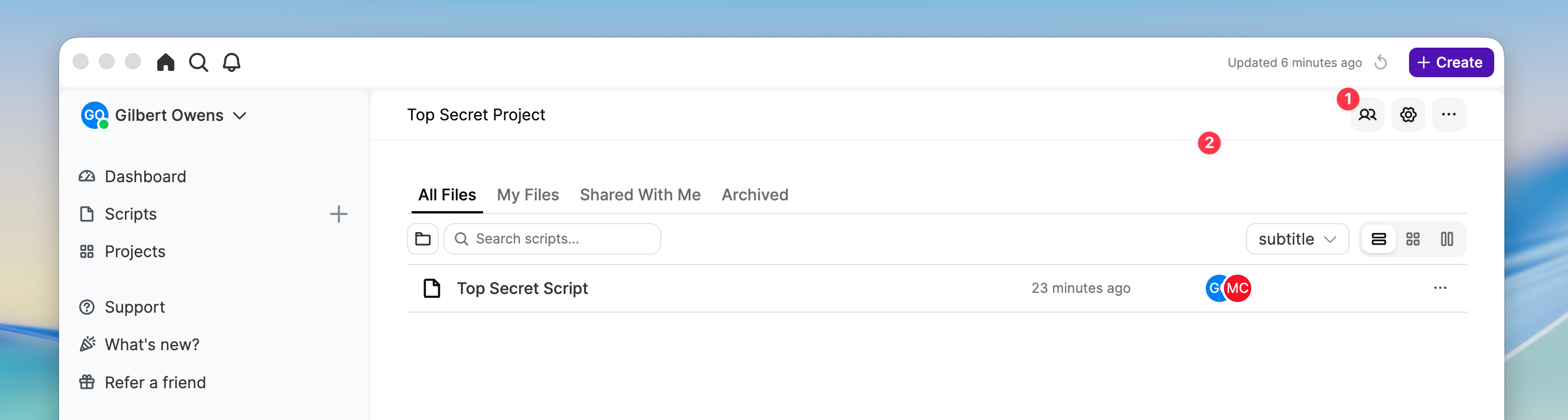
- Click the drop-down menu next to the collaborator and set their access level.
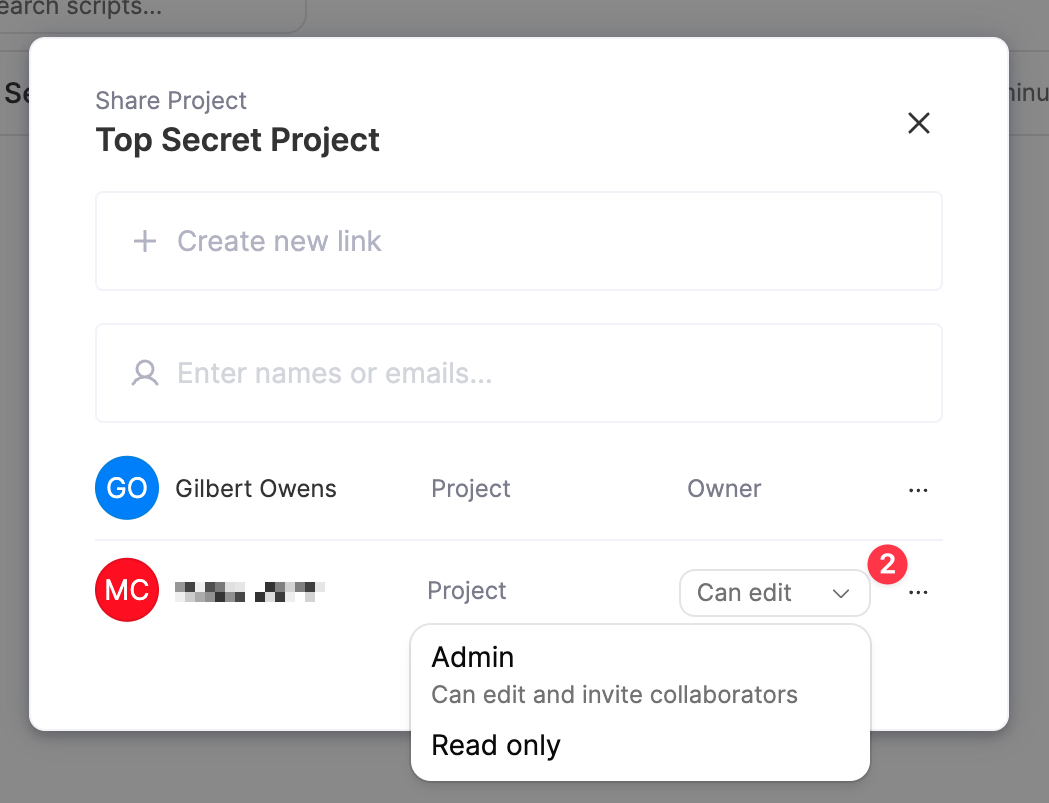
Access levels:
- Can edit means they can access and edit all the scripts in the project.
- Admin means they can edit and also invite collaborators and manage access levels.
- Read only means they can access the scripts and leave comments, but cannot edit the scripts.