
How Do I Update My Payment Info?
To update your payment information:
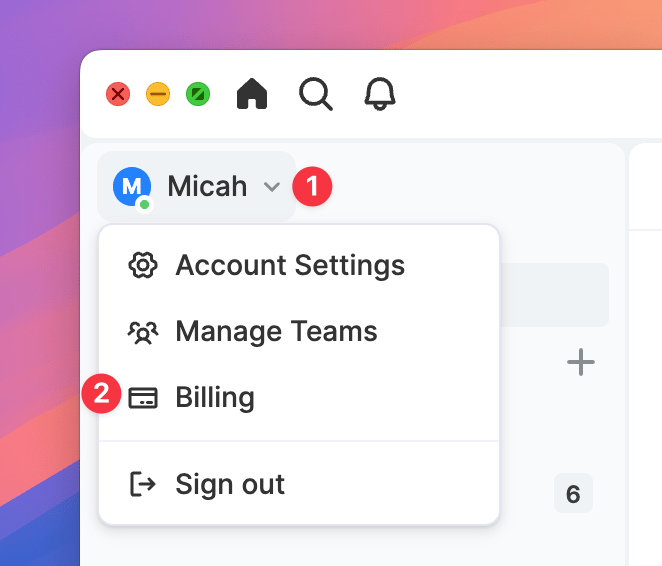
- Navigate to your Settings by clicking on your name on the Desk in the top left.
- Select
Billing.
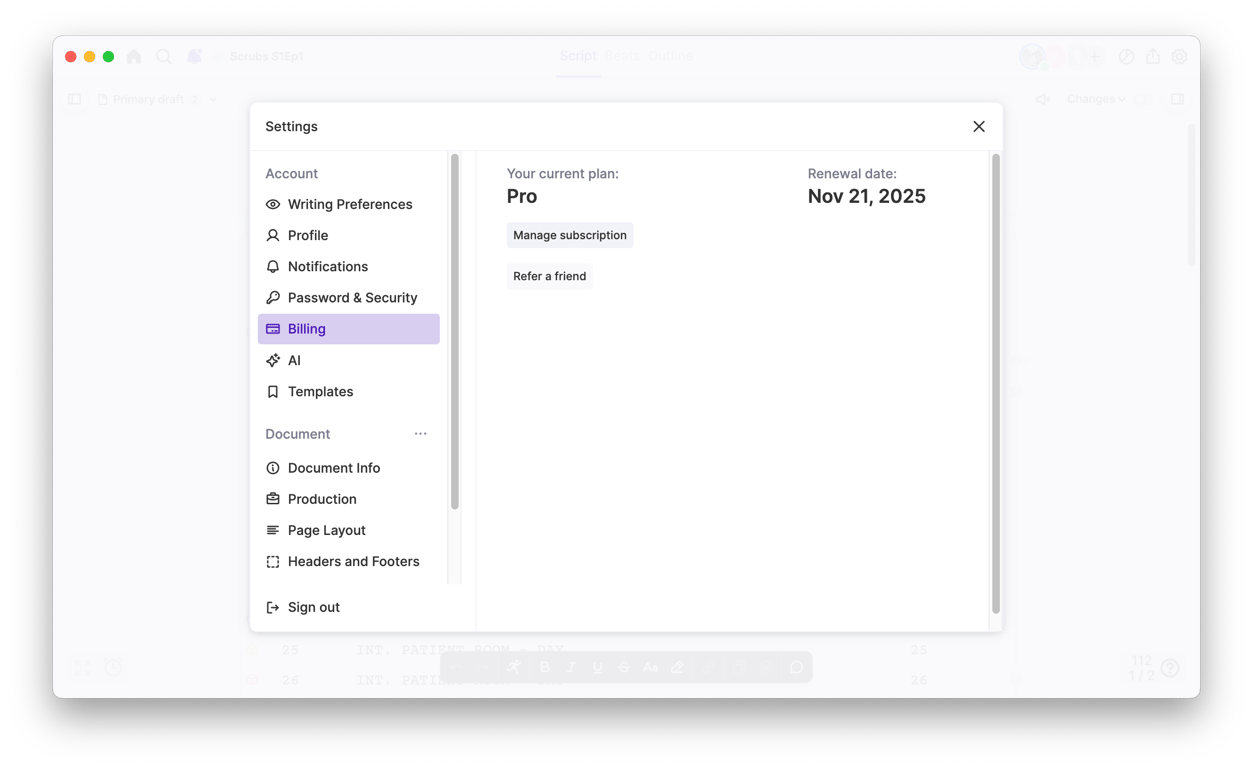
- Then click on
Manage Subscription
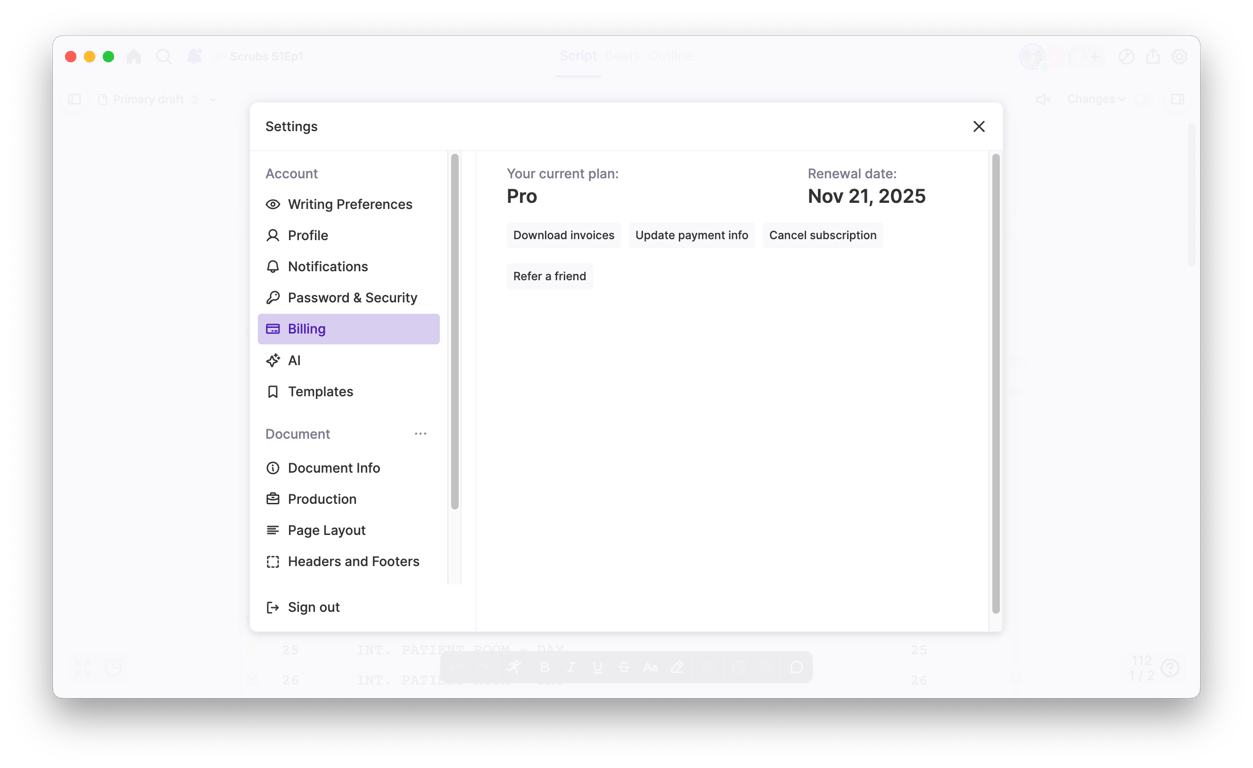
- Click on
Update Payment Info
To update your payment information:
Billing.
Manage Subscription
Update Payment Info