How Do I Add Alternate Text?
You can set up alternate text within your script if you’d like to see how different things may work in your script.
- Click the element icon next to the line you’d like to create an alternate for (or use shortcut cmd+option+A on a mac or ctrl+option+a on a PC)

- Hover over
Alts - Click
Save as Alt. This will save that version of the paragraph.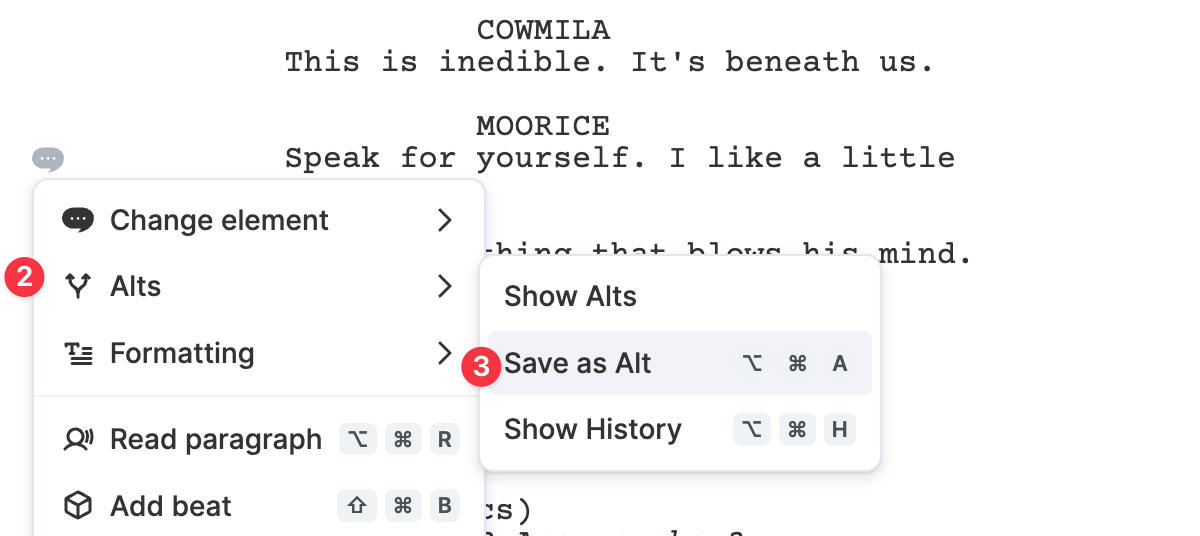
- You will an alternate icon in the margin to the left. Click that icon to see the alternates.

- You can now change that paragraph and save the new version as an alt. You can save it as an alt in a few different ways.
- Use the keyboard shortcut cmd+option+A on a mac or ctrl+option+a on a PC
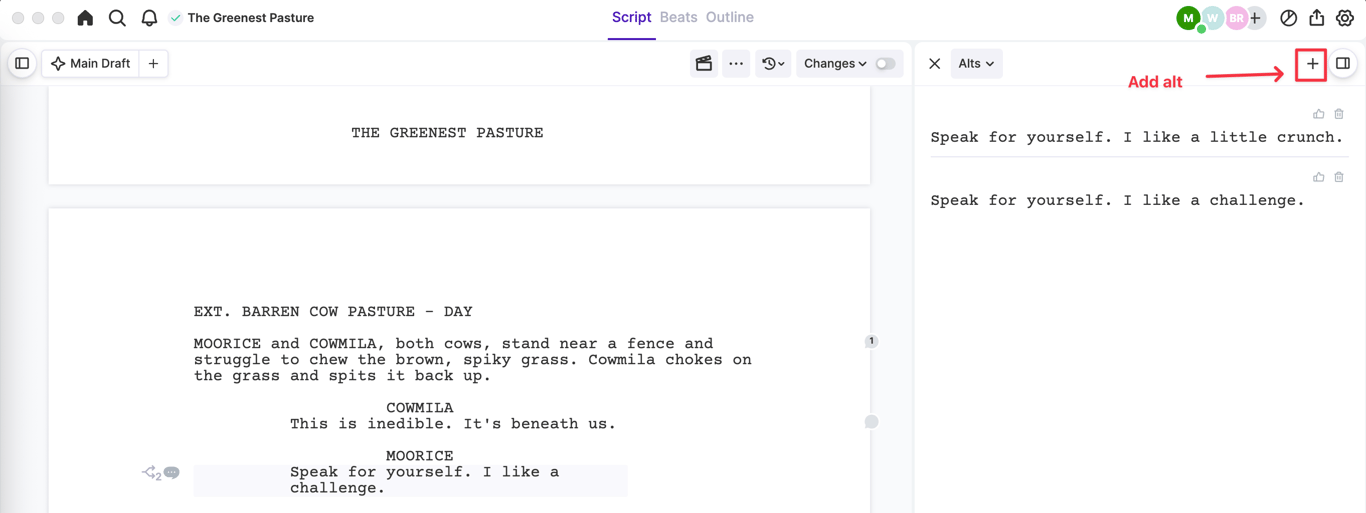
- Click the + to add the alt in the alts window on the right
- Use the element icon menu like in Step 3
How Do I Switch in My Alternate Text?
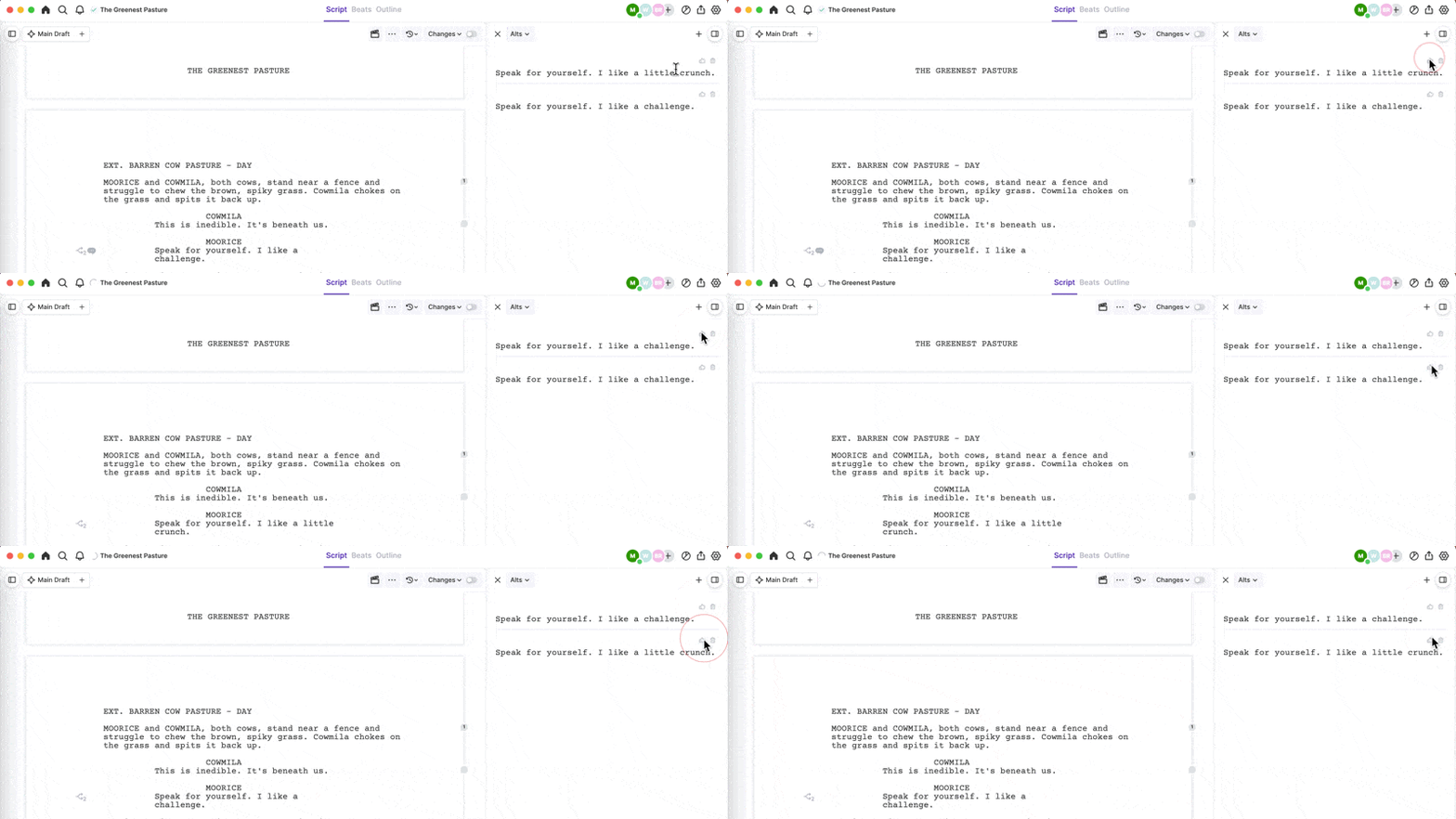
Section titled “How Do I Switch in My Alternate Text?”- Click the alternate icon in the left margin to open the alts window on the right.
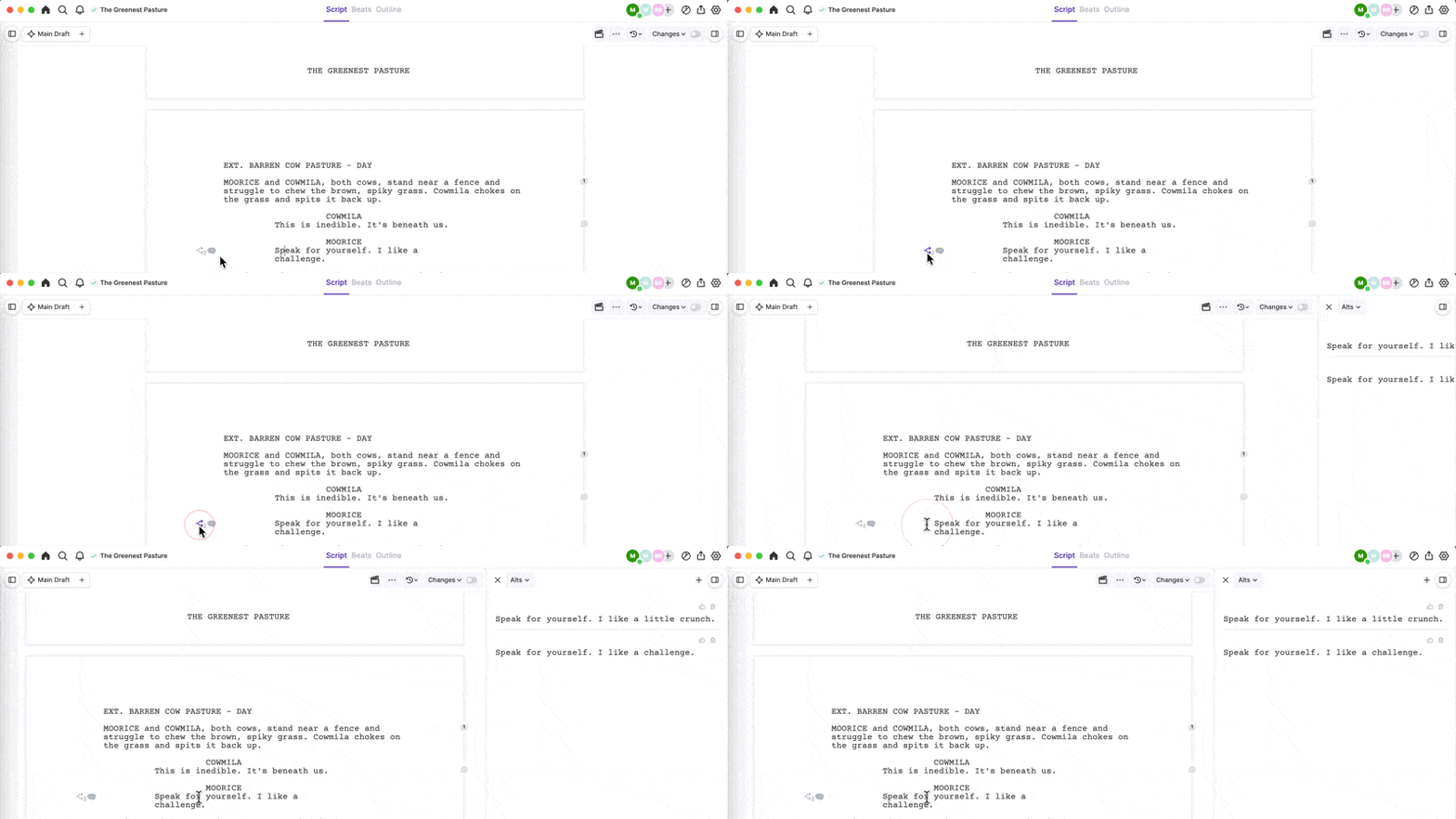
- Click on the thumbs up icon for the alternate that you want switch into the text.
How Do I Remove My Alternate Text?
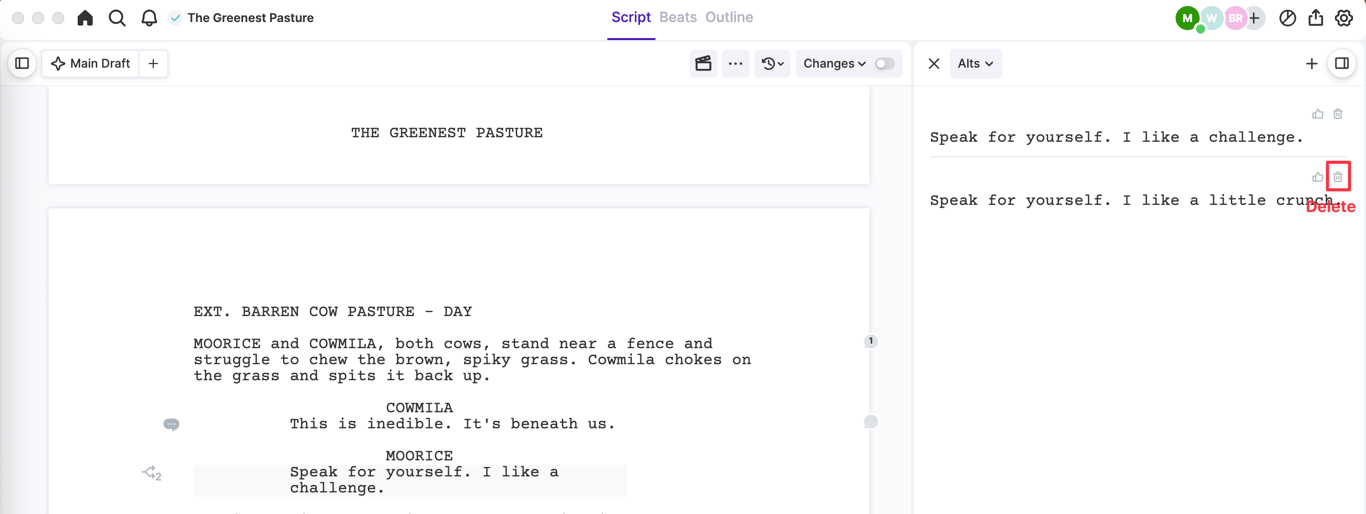
Section titled “How Do I Remove My Alternate Text?”- Click the alternate icon in the left margin to open the alts window on the right.

- Click the trashcan icon for the alt you wish to remove.