How Do I Lock My Script Pages?
You can lock your script pages in the Settings menu.
Click on the gear icon in the top right and select “All settings,” or use the keyboard shortcut Cmd + , (Ctrl + , on PC)
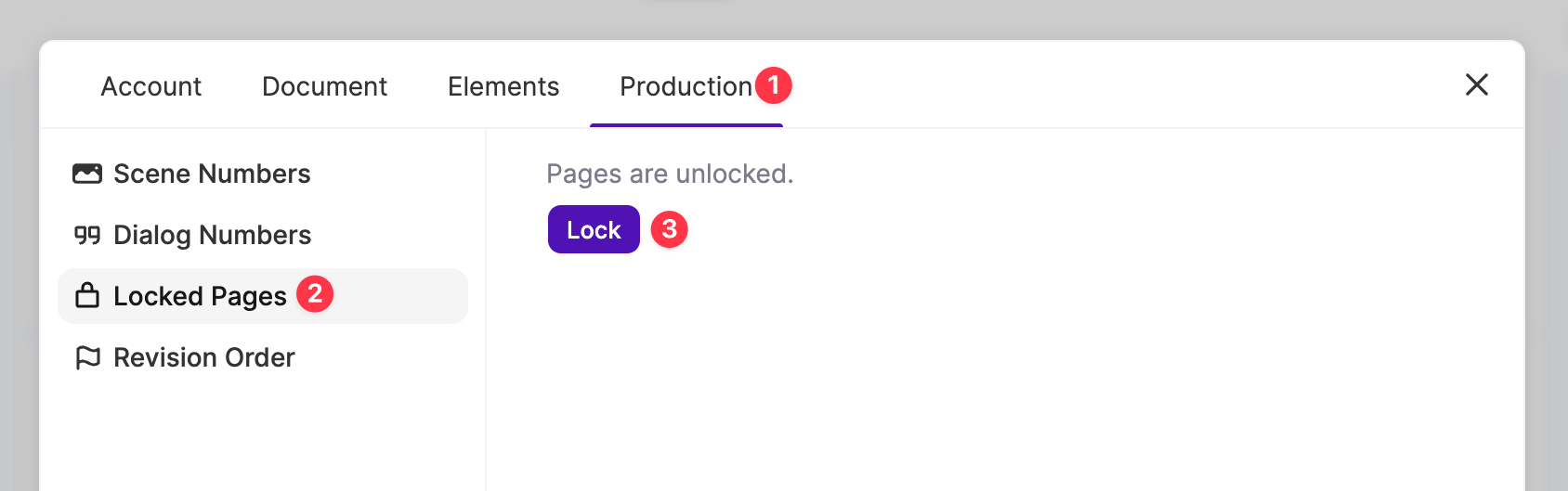
- Select the Production tab
- Select Locked pages on the left
- Click Lock