
How Do I Browse Changes?
You can access a timeline of all your edits to a script and step through them one by one.
To access your edit history:
- Open the Drafts sidebar on the left.
- Click Browse changes
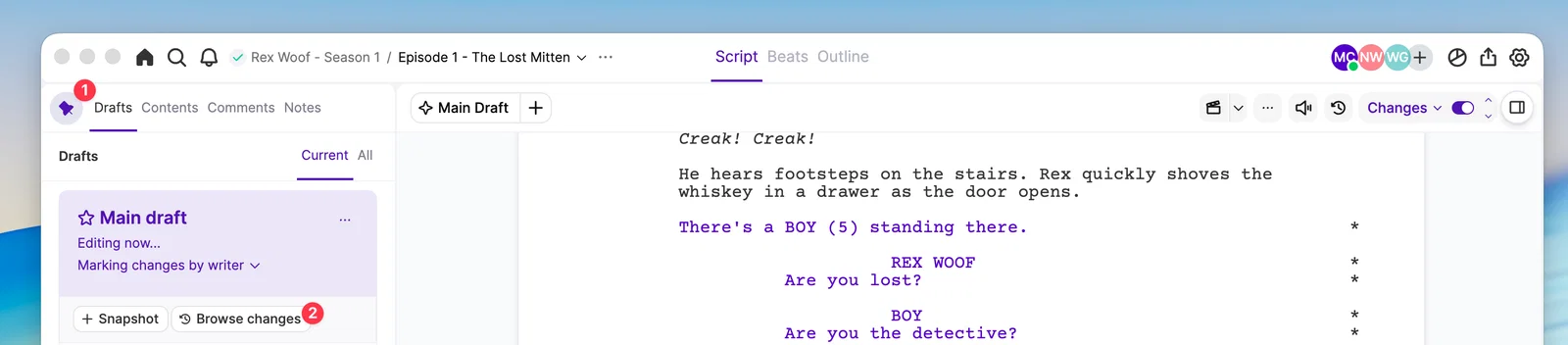
This will open up the Browse changes view with a timeline at the top. Use the arrows (< and >) to move back and forth and see your changes.
Use the double arrows (<< and >>) to jump to earlier and later snapshots.
To create a new Snapshot from any point, use the arrows to show the version you want on the screen. Then click Create snapshot.
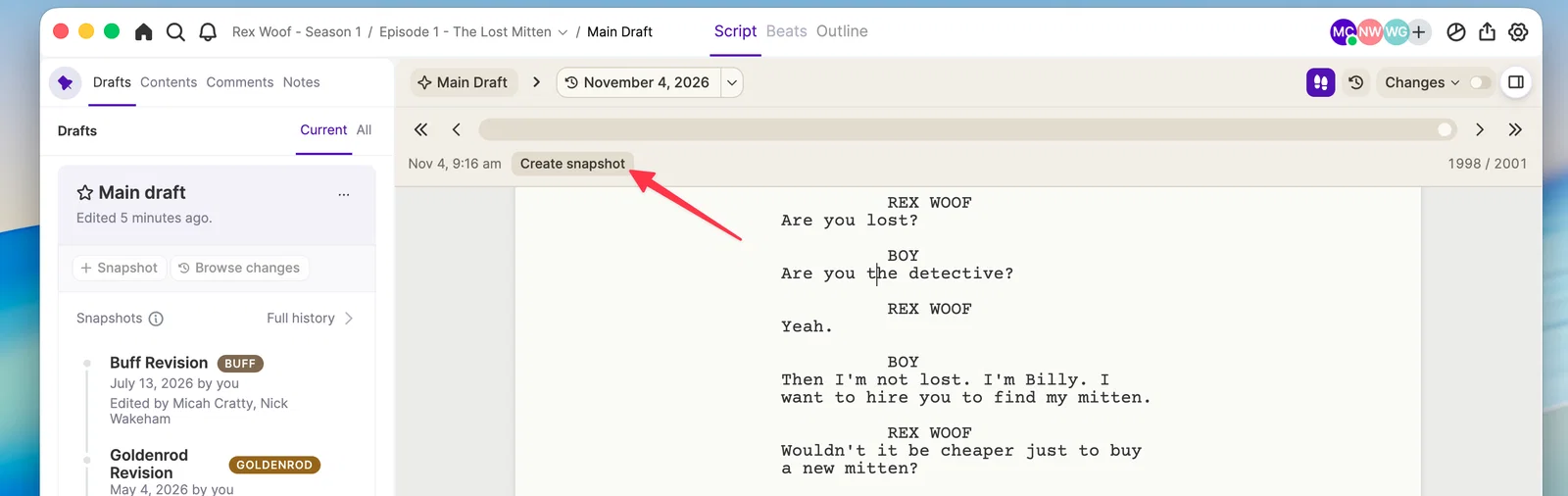
The Snapshot will be added to your list of Snapshots in the Drafts sidebar.