
How Do I Create a Script Format Template?
You can save the format settings from one script, such as custom script elements and bolded scene headings, as a template to use in other scripts.
To save a template:
- Make sure you’ve selected all the formatting settings in your current script that you want to use in the future.
- Click the Export arrow in the top right and select
Create Template…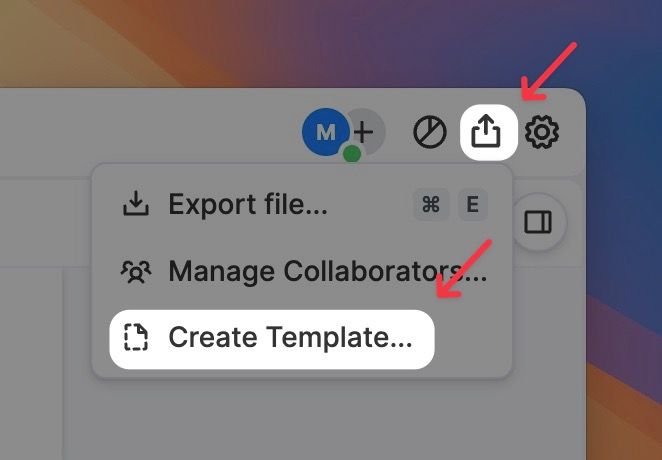
- Give the template a name, and make sure the box next to Format is checked. Then click
Create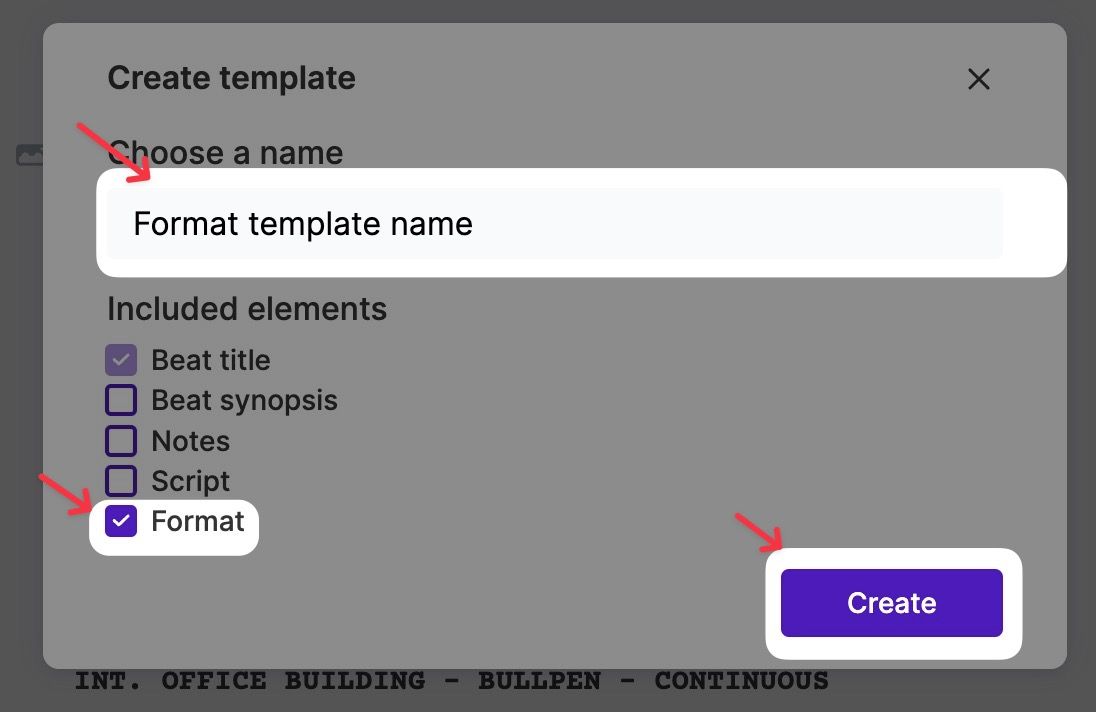
See also: