
How Do I Export My Script as a Text Document?
- Click on the export icon in the top bar.
- Select
Export file…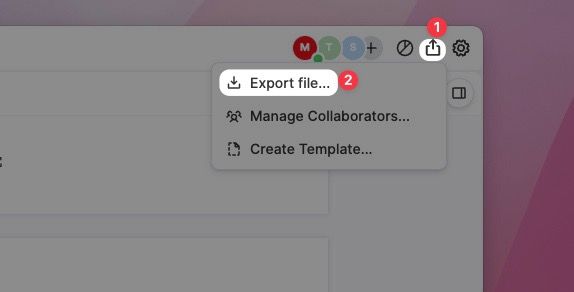
- Click on
Fountain/Text - Select whether you want to include your notes and outline Beats in the export.
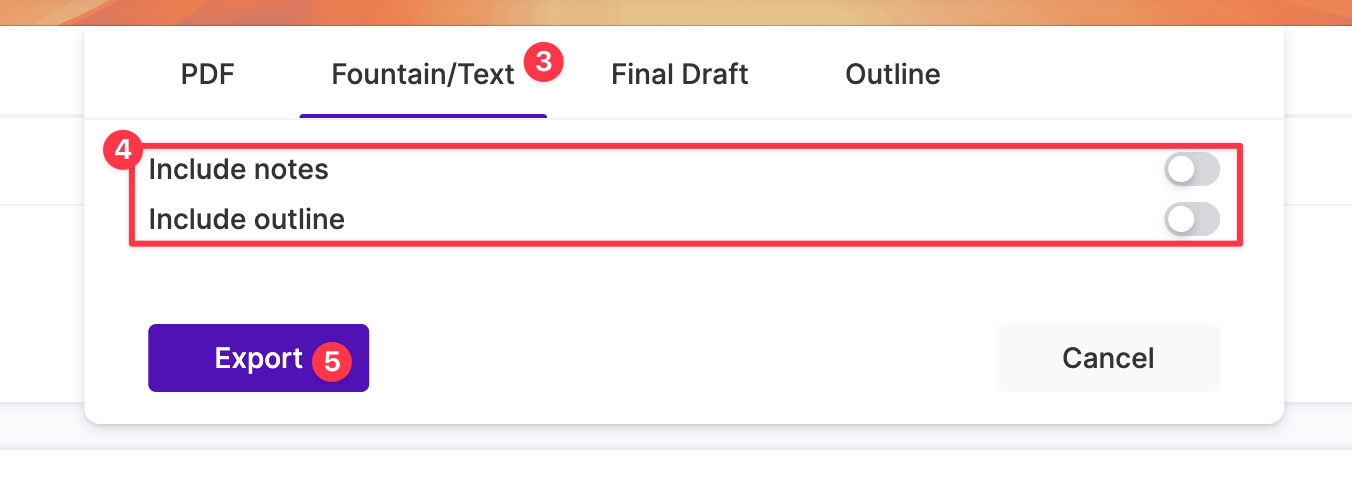
- Click
Export - Choose the name of the file and where you want it to be saved.
- Click
Save