
How Do I Export My Outline as a PDF or text file?
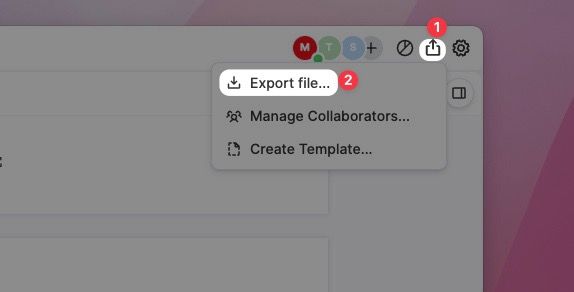
- Click on the export icon in the top bar.
- Select
Export file…
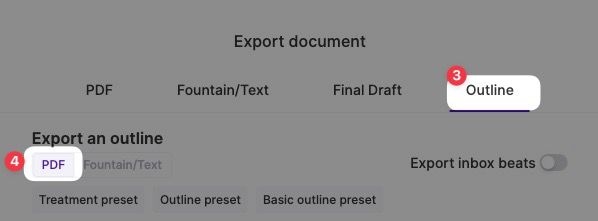
- Select ‘Outline’ from the options at the top of the pop-up window.
- Select whether you’d like to export the file as a ‘PDF’ or ‘Fountain/Text’ file.
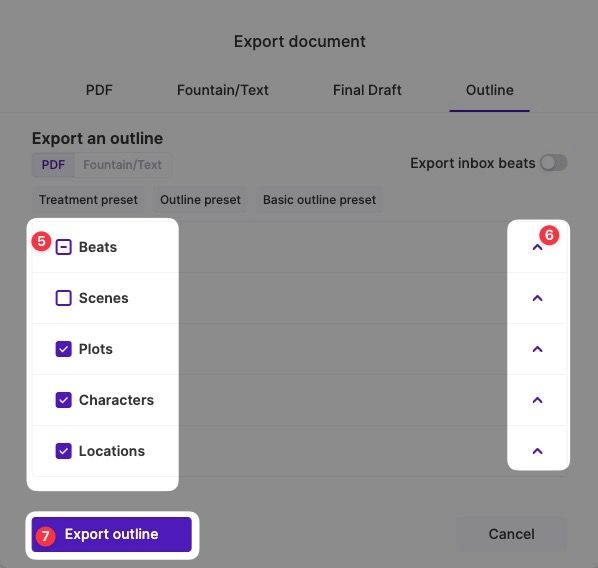
- Choose the elements that you want your outline by clicking the box to the left of the element name.
- For more detailed options click ‘^’ to expand that section.
- Click ‘Export Outline’
- Choose where you’d like to save the file
- Click ‘Save’