
How Do I Export A Page Range As a PDF?
- Click on the export icon in the top bar.
- Select
Export file…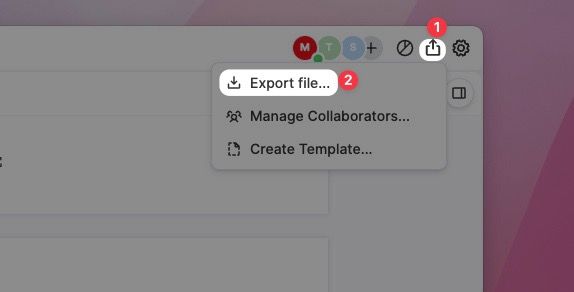
- Click on
PDF - Open the Export area dropdown menu
- Select
Pages…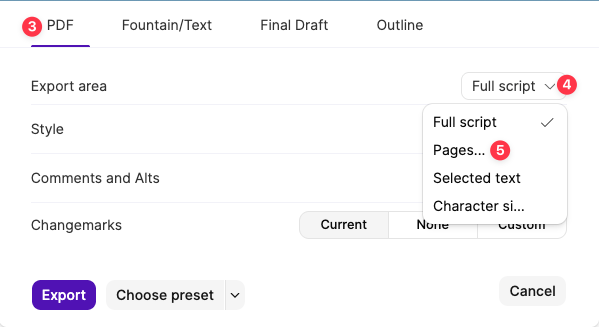
- Enter the page range you want to export
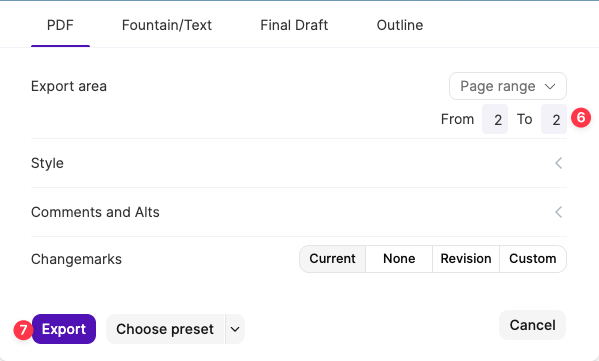
- Choose your desired settings under the Style, Comments and Alts, and Changemarks section. Then click
Export