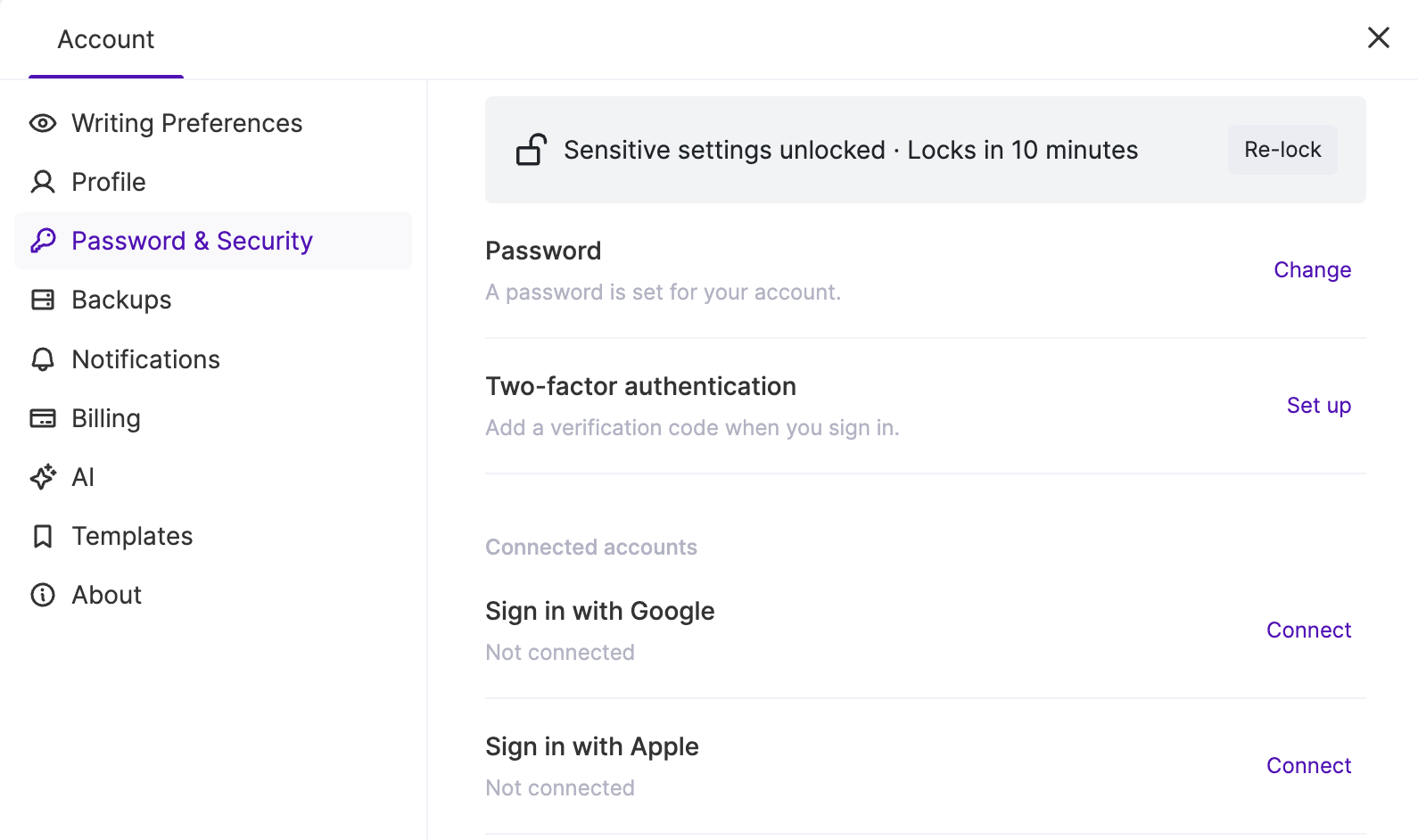
How Do I Connect My Google or Apple Accounts?
You can connect your Google or Apple accounts in the settings:
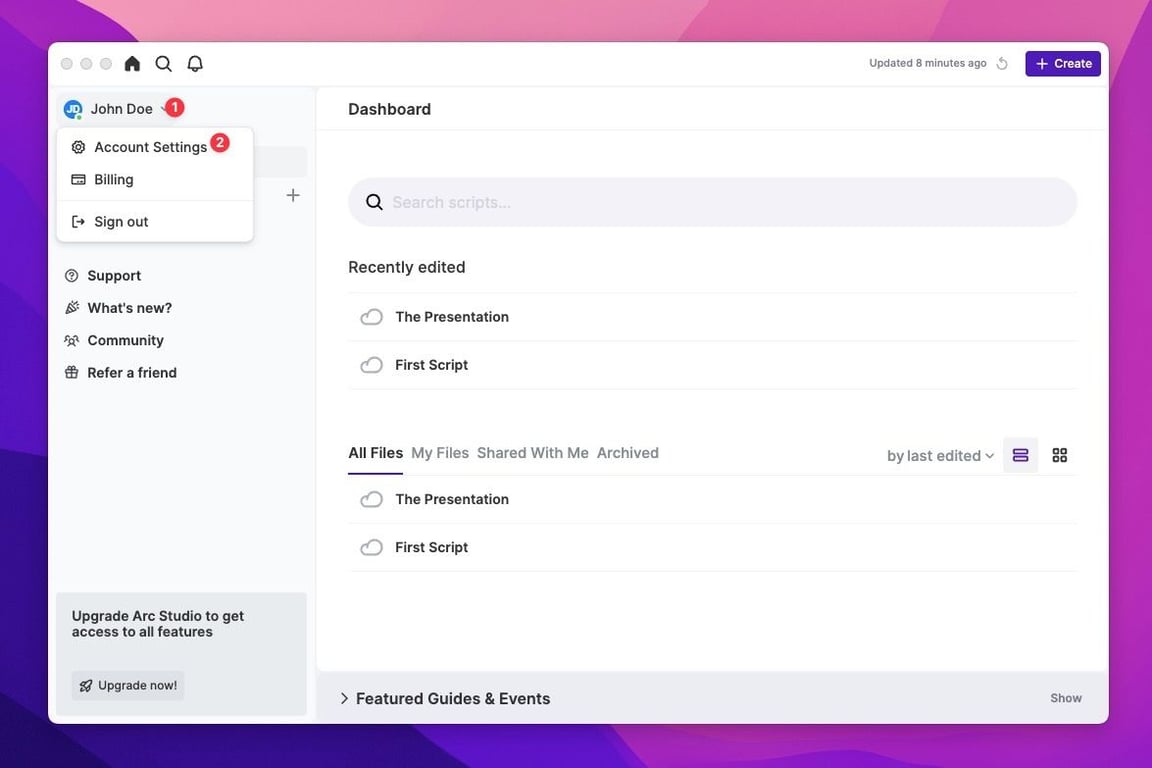
- Navigate to the Desk and click your username in the top left.
- Then click
Account Settings
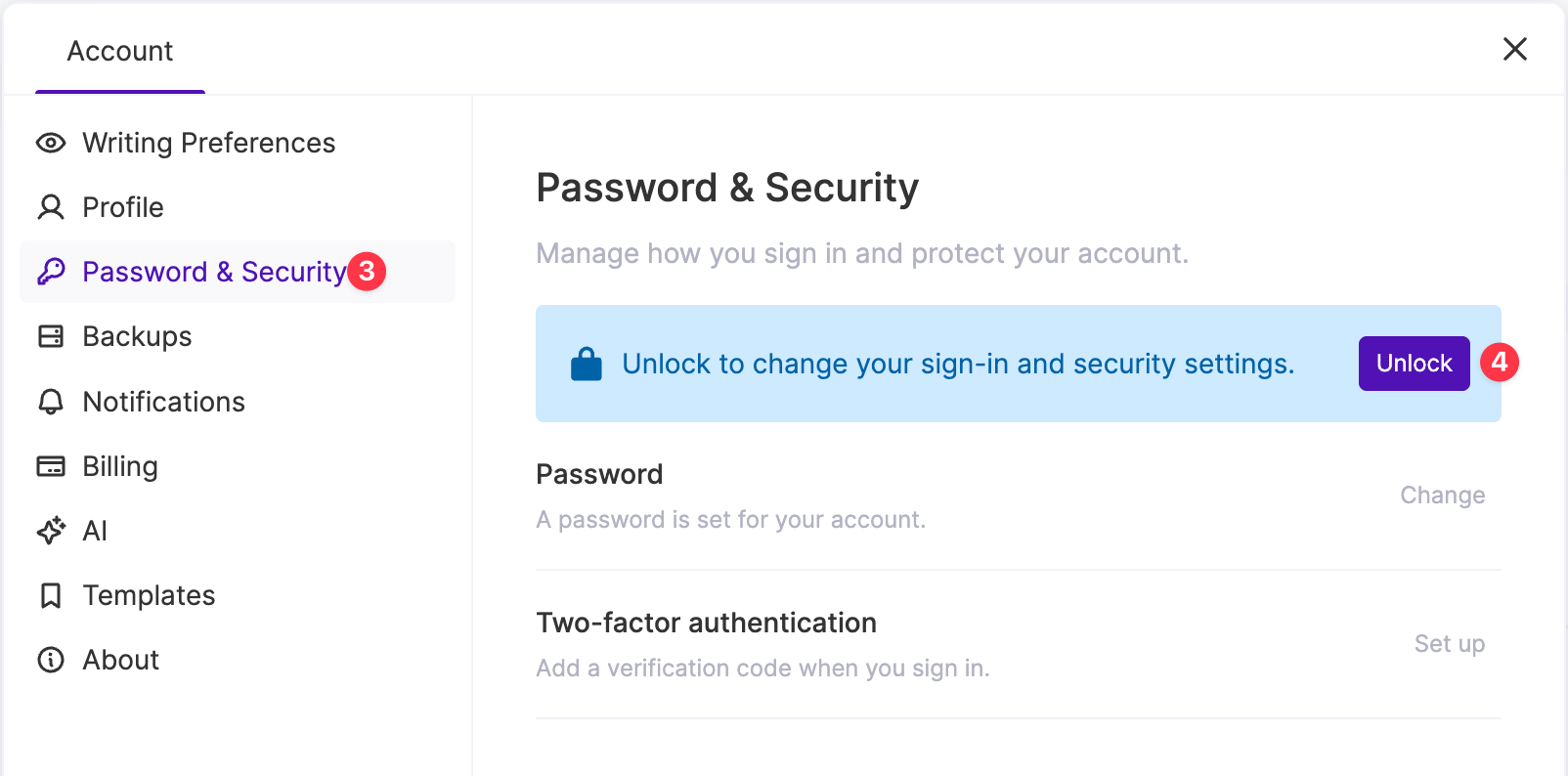
- Click
Password & Security - Click
Unlockto make changes.
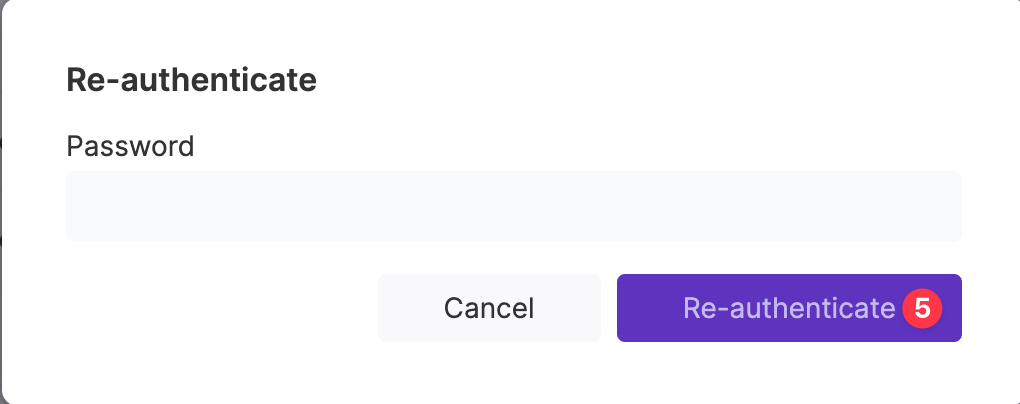
- Enter your password and click
Re-authenticate
- Click
Connectnext to Sign in with Google or Sign in with Apple, depending on which account you’d like to connect. This will open a new browser window where you can connect your accounts.