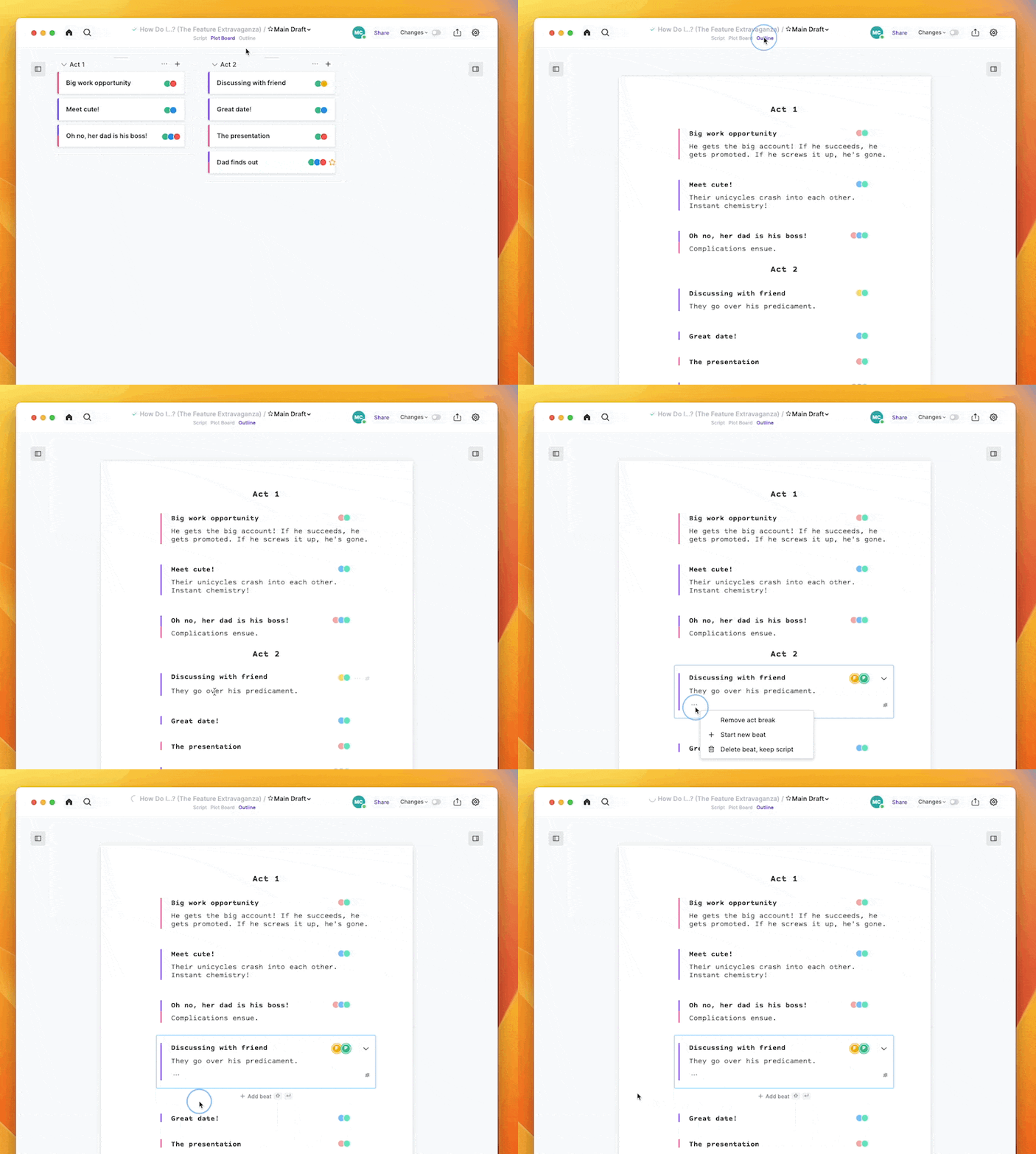
How Do I Remove Act Breaks in Outline View?
Removing act breaks in Outline view will remove them from the Plot Board as well.
- Navigate to the Outline view by clicking on ‘Outline’ in the center of the top bar, or with the keyboard shortcut ‘Option + Shift + Cmd + B.’
- Click on the first beat in the act.
- Click on the more options icon ‘…’ on the bottom of the beat.
- Select ‘Remove act break’
The beats will move to the end of the previous act.