How Do I Turn on Image Generation?
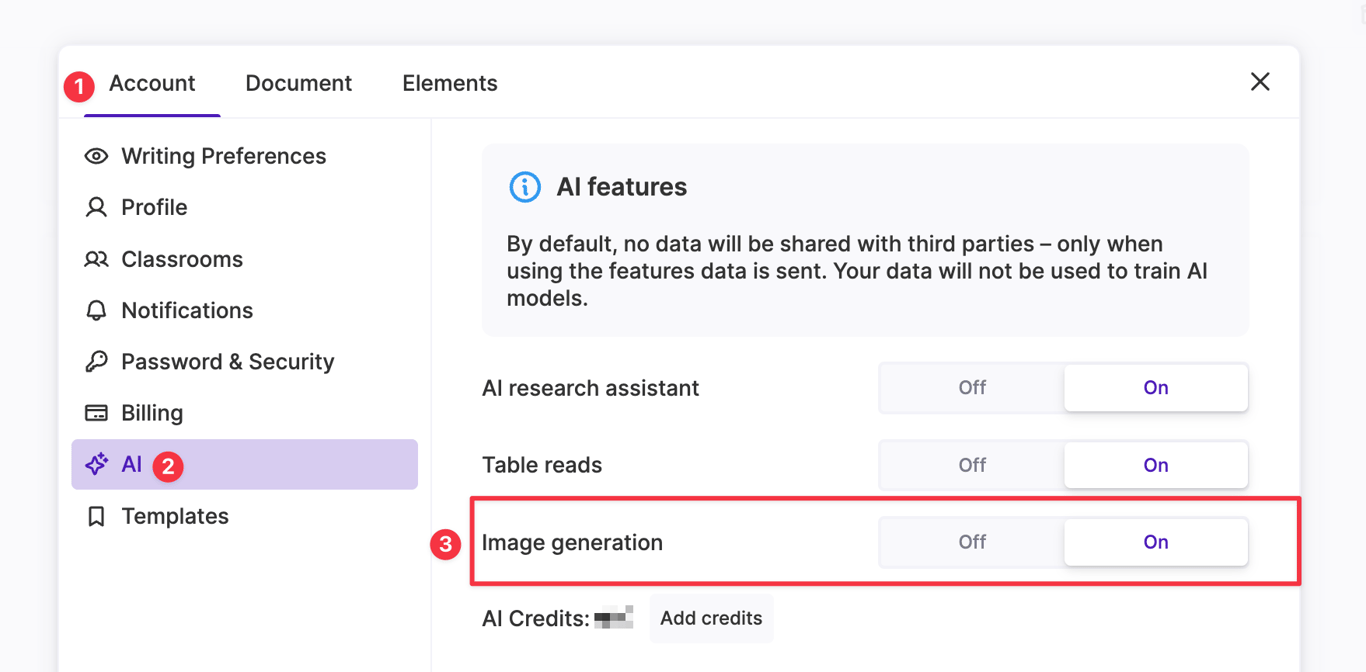
You can enable AI image generation via the settings menu.
Access the settings menu by
- Clicking the Gear Icon in the top right.
- Clicking
All Settings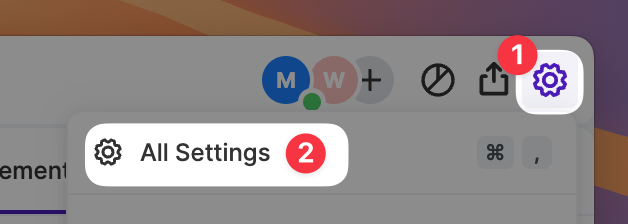
In the settings menu,
- Select the Account tab at the top.
- Click
AIon the left. - Make sure Image generation is toggled
On.